3d tutorials
Learning 3d software
Using heatmaps for vegetation distribution with Octane Scatter
Octane Scatter can sometimes seem to be a quite limited scatterer. But it can use distribution maps, which is very useful if you generate them with World Creator 2.
Creating terrain textures with the Quixel Mixer
The Quixel Mixer, by Megascans is one of those smart apps that seem to work like magic. Discover how to use it for terrain texture making and how to import your own materials into it
Using layered terrains in Cinema 4d and Octane Render
Sometimes a single terrain is not enough and you need to add a few ones on top of each other to add all the details you need to a scene.
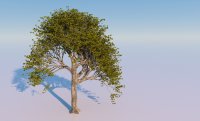
Creating a tree with The Plant Factory and Megascans
In The Plant Factory, realistic looking trees can be created with a few nodes and appropriate parameters. Megascans maps add realism.
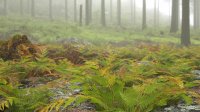
Creating a plant with Megascans maps
Megascan maps are very detailed and include some leaf textures. This tutorial shows how to adapt them to create plants in the Plant Factory.
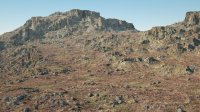
3d landscapes in Octane Render
This tutorial shows how to create 3d landscapes using World Creator and Octane Render for C4d.
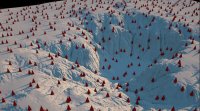
Scatter on displacement in Octane Render
This tutorial shows how to properly place scatter instances on a displaced surface in Octane Render for C4d.
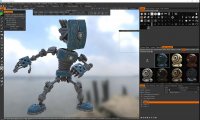
From 3dCoat to Octane Render
These two tutorials provide a workflow for exporting objects from 3D Coat and using them in Octane Render with metal materials.
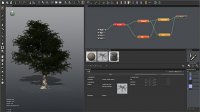
Low polygon tree with The Plant Factory
Most tree models shipped with Vue have more than 30000 polygons. See how to create nice looking trees with less than 6000 polygons for your ecosystems
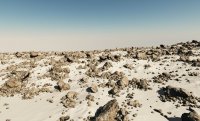
Getting more realistic distributions in Vue ecosystems
Vue ecosystems are a nice feature, but the distribution of items is often too regular. This tutorial shows how to get natural looking clusters of objects in Vue ecosystems.
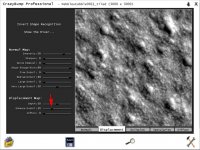
Using Crazybump with Vue
This tutorial will show how to create very realistic bump maps for terrains or other Vue objects with a fascinating app called Crazybump.
Geocontrol 2 Vue - part 2
This is the second part of this tutorial showing how to use Geocontrol 2 terrains in Vue. Here you will learn how to distribute materials on your terrain in Vue using Geocontrol selectors.